
Daman mobile guide
3 Steps to Login Daman
On Daman game, tap Log in at the top right, then choose Phone Number or Email.
How to Log in on Daman
Step 1Open the DmPlay Login form
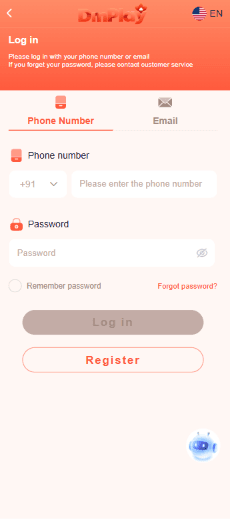
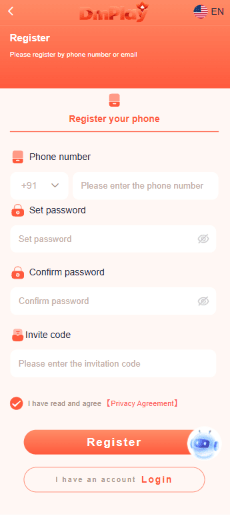
On the DmPlay mobile homepage, tap Log in at the top right, beside Register.
Step 2Choose Phone Number or Email
Select the tab that matches how you access your account. For phone sign-in, check the country code and enter your mobile number and password.
Step 3Tap Log in / Get Password Help
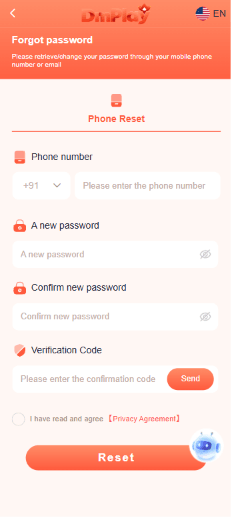
After checking your details, tap Log in. If you’ve forgotten your password, look for Forgot password? below the password field on the phone form.
Daman has rebranded as DmPlay, so the screenshots show the Daman app under its new name.

Daman Login Problems and Password Help
Daman Login FAQs
Why does the Daman login screen say DmPlay?
The mobile site pictured in this guide displays the DmPlay name. Use the screenshots above to compare the logo, the Log in button and the sign-in tabs with what you see on your phone.
Can I use my old Daman account on DmPlay?
We haven’t verified whether older Daman accounts carry over to DmPlay. If your existing details are rejected, ask the platform’s customer service about your account before registering again.
Do I need an APK to open the login screen?
You can view the sign-in form pictured in this guide in a mobile browser.
⭐Ready to Play Daman?
Sign in to Daman with your phone number or email to get started.